Step 01
Define the project once
Write a clear project description so the assistant understands your product, audience, and tone before it suggests anything.
Design Faster with AI + Structured Workflows
Theme Maker AI removes the mess from visual system design. You define the project once, generate complete directions with AI, refine colors/fonts/images in context, and ship shareable themes that teams can implement immediately.
Less Guesswork
AI suggestions are grounded in your project brief and current theme state.
Less Rework
Colors, fonts, and assets stay synchronized in one workspace from concept to review.
Faster Approvals
Public theme pages make stakeholder feedback simple without account friction.
Step 01
Write a clear project description so the assistant understands your product, audience, and tone before it suggests anything.
Step 02
Ask the assistant for multiple directions and get structured theme outputs with usable colors, typography, and image ideas.
Step 03
Tune colors, fonts, and images in-context while the assistant stays scoped to your project and active theme.
Step 04
Share public review pages and export theme artifacts so design and engineering can align without rework.
Teams use Theme Maker AI as an AI theme generator, a design token manager, a color palette generator, a typography pairing tool, and a brand asset workflow for logos and visual direction. If you are searching for website theme design software that can move from idea to implementation quickly, this is exactly what this platform is built to do.
Without Theme Maker AI
Teams bounce between docs, color pickers, font sites, mockups, and chat threads. Decisions are scattered, revision history is unclear, and handoff to engineering often starts from scratch.
With Theme Maker AI
The app centralizes project context, AI-assisted generation, token editing, image workflows, and shareable outputs. You spend time making decisions, not stitching tools together.
This platform is designed for assistant-driven theme creation. Chat can propose theme options, update colors and fonts, and queue image generation while staying scoped to the correct project and theme context.
You provide your own OpenAI API key in profile settings, which keeps usage under your control while enabling GPT-powered design assistance directly inside your workspace.
AI + Human Loop
1. Describe your product and goals.
2. Ask AI for multiple directions.
3. Select and refine what works.
4. Publish and export with confidence.
This tour shows the actual interface and explains exactly how each area helps you design better themes faster. The focus is practical: reduce complexity, improve quality, and accelerate delivery.
Project Command Center
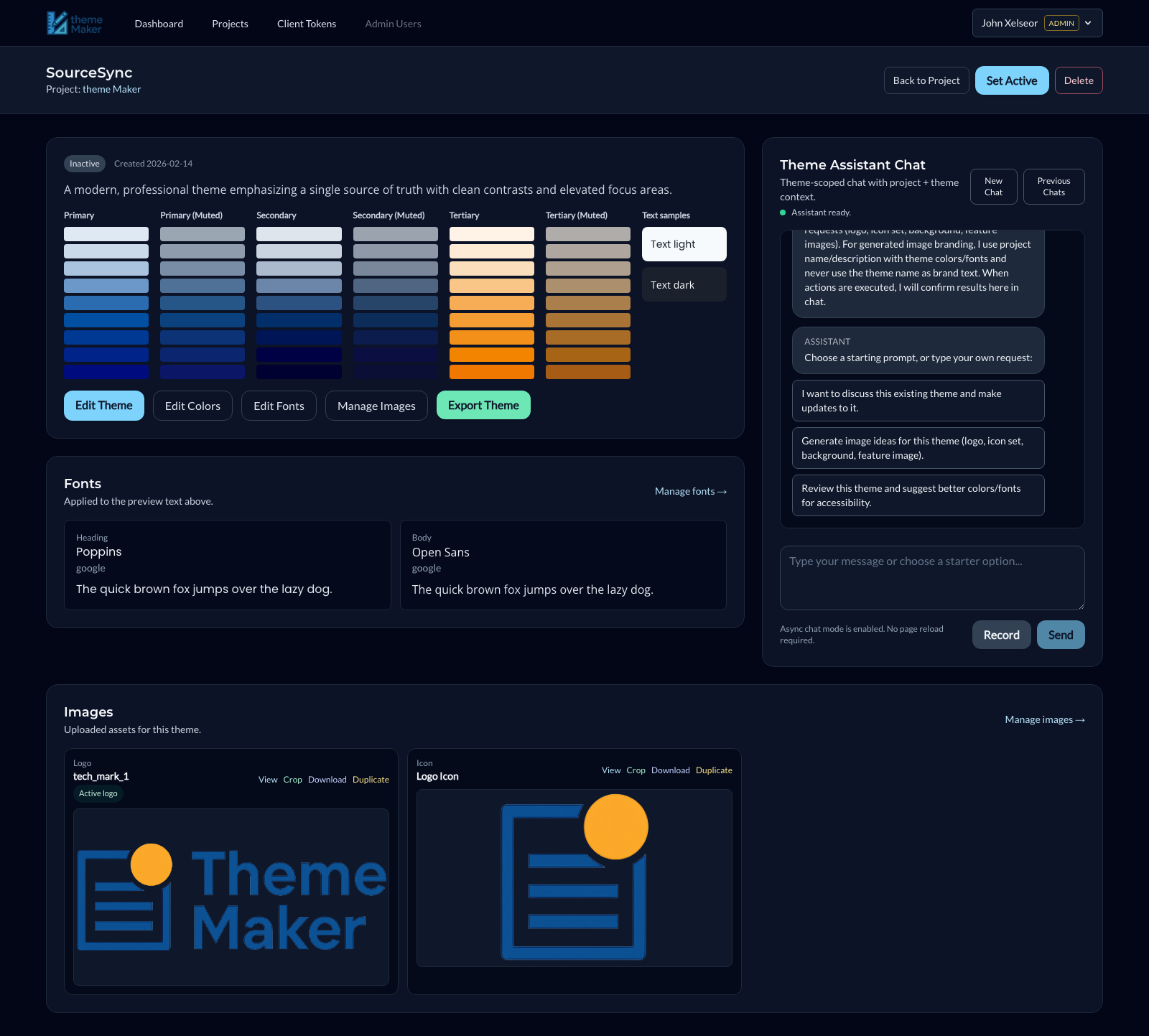
What you do: This screen combines your project brief, assistant chat, and all generated theme options into one operating surface. It is the command center for direction, generation, comparison, and decision-making.
Why it is easier: You can evaluate multiple theme candidates side-by-side with live previews of colors, typography, and assets. That removes the usual context switching between docs, design files, and chat threads.
How AI Helps Here
The project description is treated as guidance for every AI action. The assistant uses your project name, description, and intent to generate aligned themes and suggest focused updates instead of generic outputs.
Scoped AI context
Project brief and portfolio state are injected into prompts so generated options match your product direction.
Theme comparison at a glance
Theme cards show colors, fonts, status, and key visual cues so teams choose faster with less back-and-forth.
Actionable assistant flow
Chat can trigger tool actions that create or update themes directly in the project, not just return text.
Theme Operations
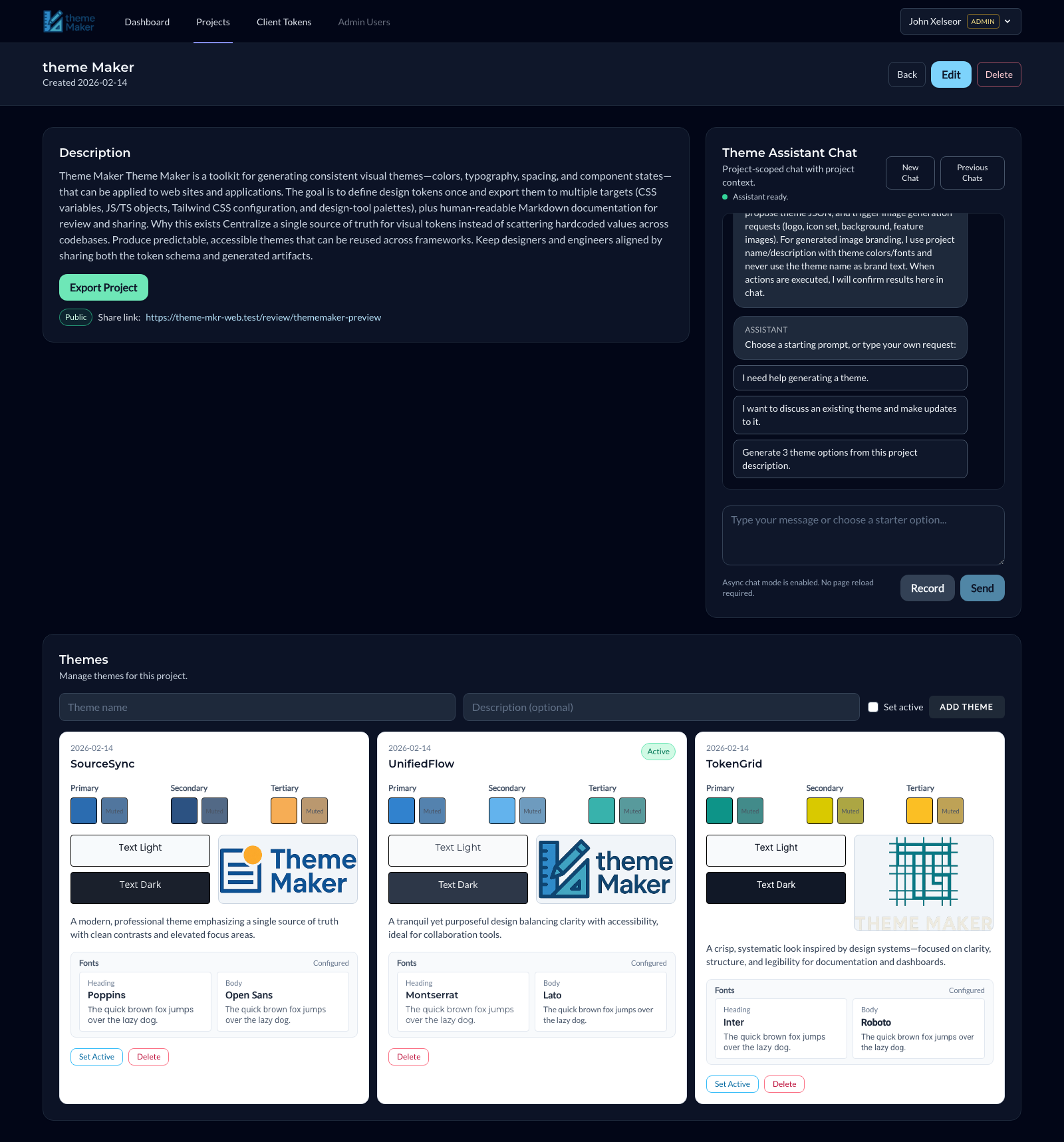
What you do: View color systems, typography, asset library, and chat assistant side-by-side at theme scope.
Why it is easier: This layout keeps your design decisions visible in real time. You can tune a color, switch a font, or refine assets and instantly validate the total visual system.
How AI Helps Here
The assistant receives both project-level and theme-level context, which enables targeted requests like replacing only a secondary color, refining font pairing, or generating image variants that match the active theme.
Color system control
Manage base colors and generated scales in one place so accessibility and visual hierarchy stay coherent.
Typography pairing
Header and body fonts are managed as structured objects, making previews and downstream usage consistent.
Image production loop
Generate, crop, duplicate, and organize theme images without leaving the theme workspace.
Asset Refinement
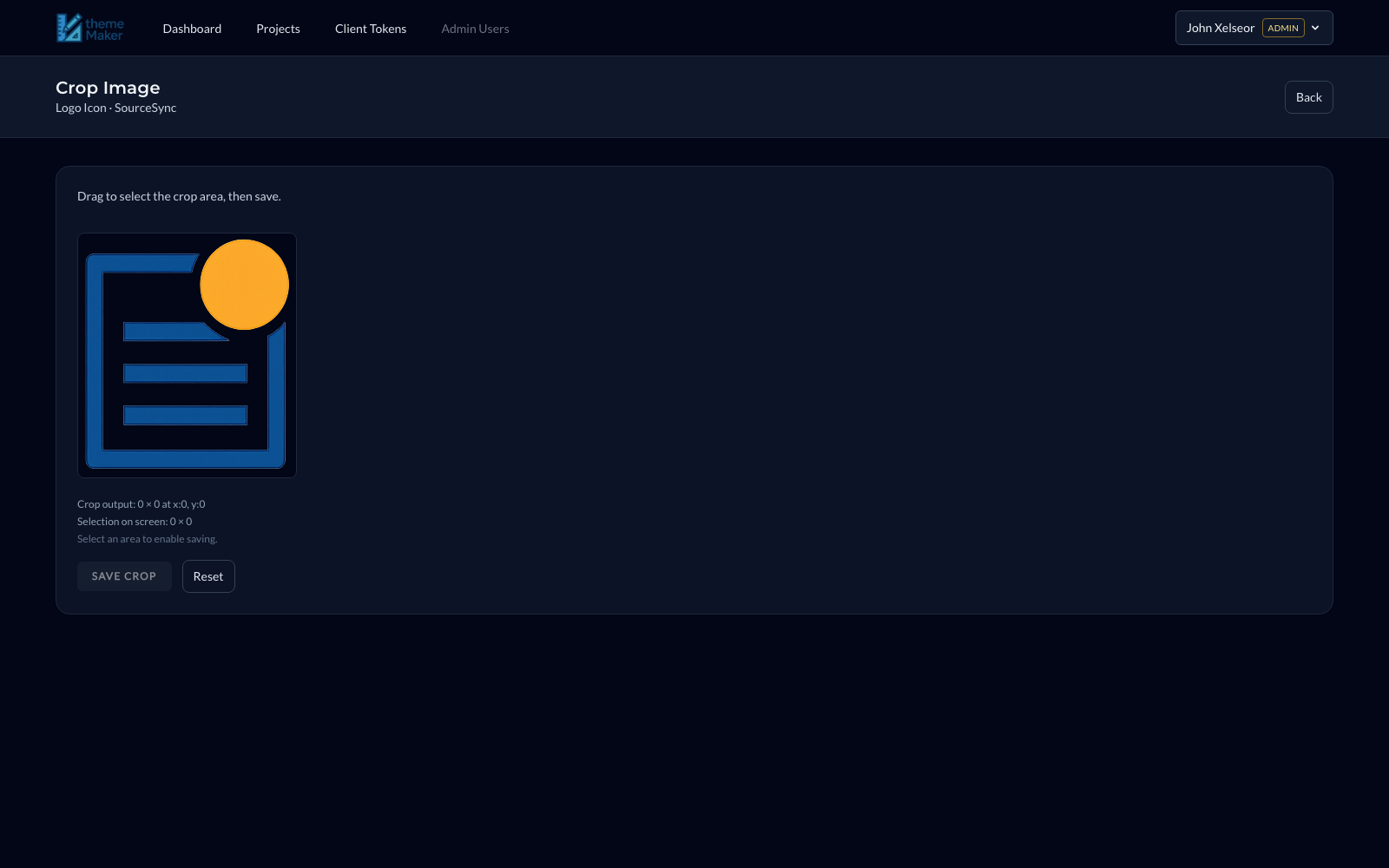
What you do: Edit generated images without leaving the app, including precise crop-and-save workflows for icon/logo cleanup.
Why it is easier: No round-trip to external tools for basic asset prep, which keeps momentum high during theme iteration.
How AI Helps Here
Use AI for generation, then finalize assets in-app so the approved visuals are immediately tied to the active theme.
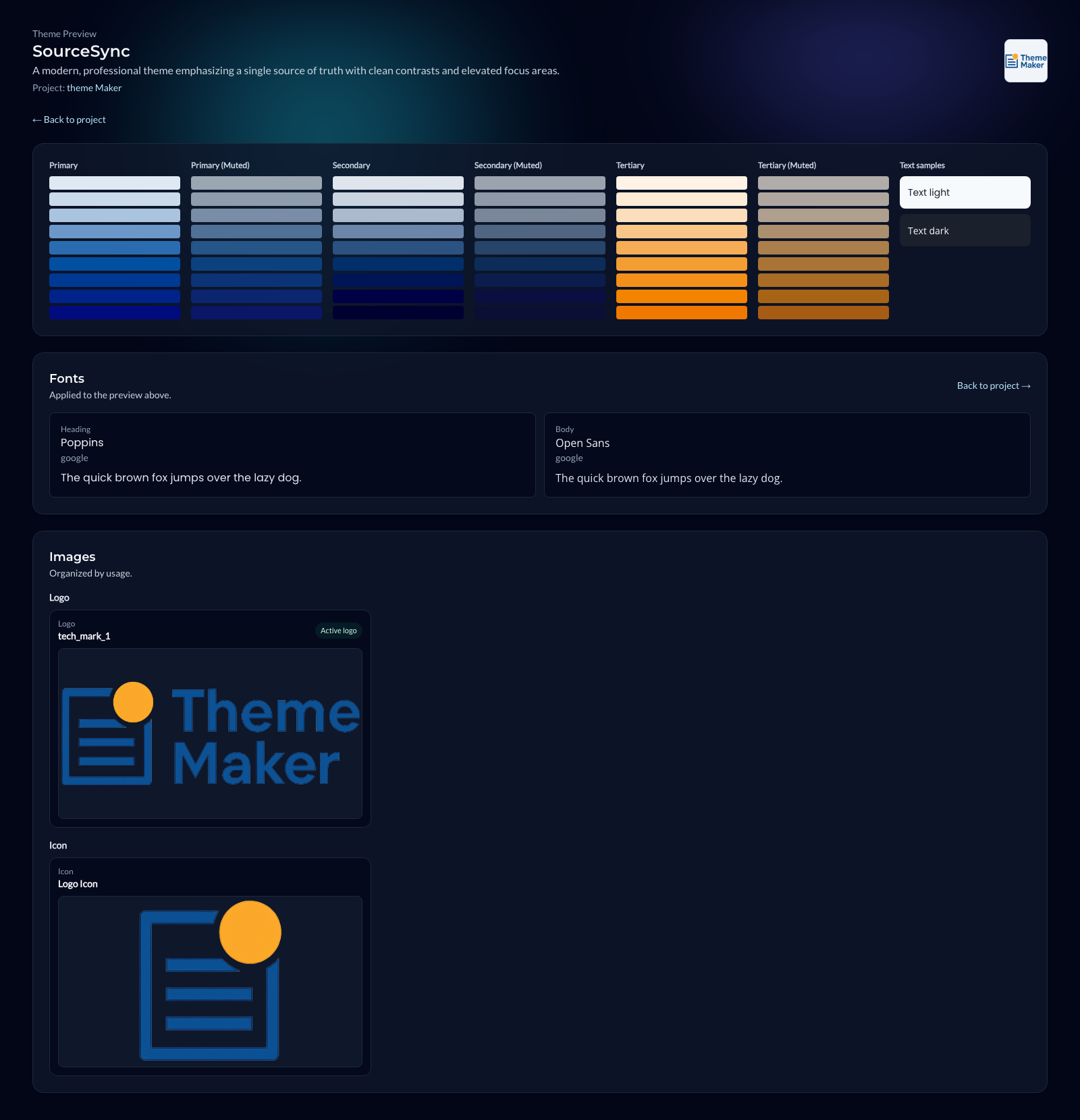
Stakeholder Delivery
What you do: Share a clean review page that shows the full system: color scales, typography, and image assets.
Why it is easier: Stakeholders can review and approve without needing platform access, which shortens feedback loops.
How AI Helps Here
This is where AI-assisted production work becomes presentation-ready and easy to evaluate by non-technical teams.
Create an account, add your API key, describe your project, and generate your first complete theme direction in minutes. Theme Maker AI is built to move you from idea to implementation without losing momentum.